
Salesforce EDI Integration and Maximizing CRM Efficiency Guide
 Cogential IT Editorial Team
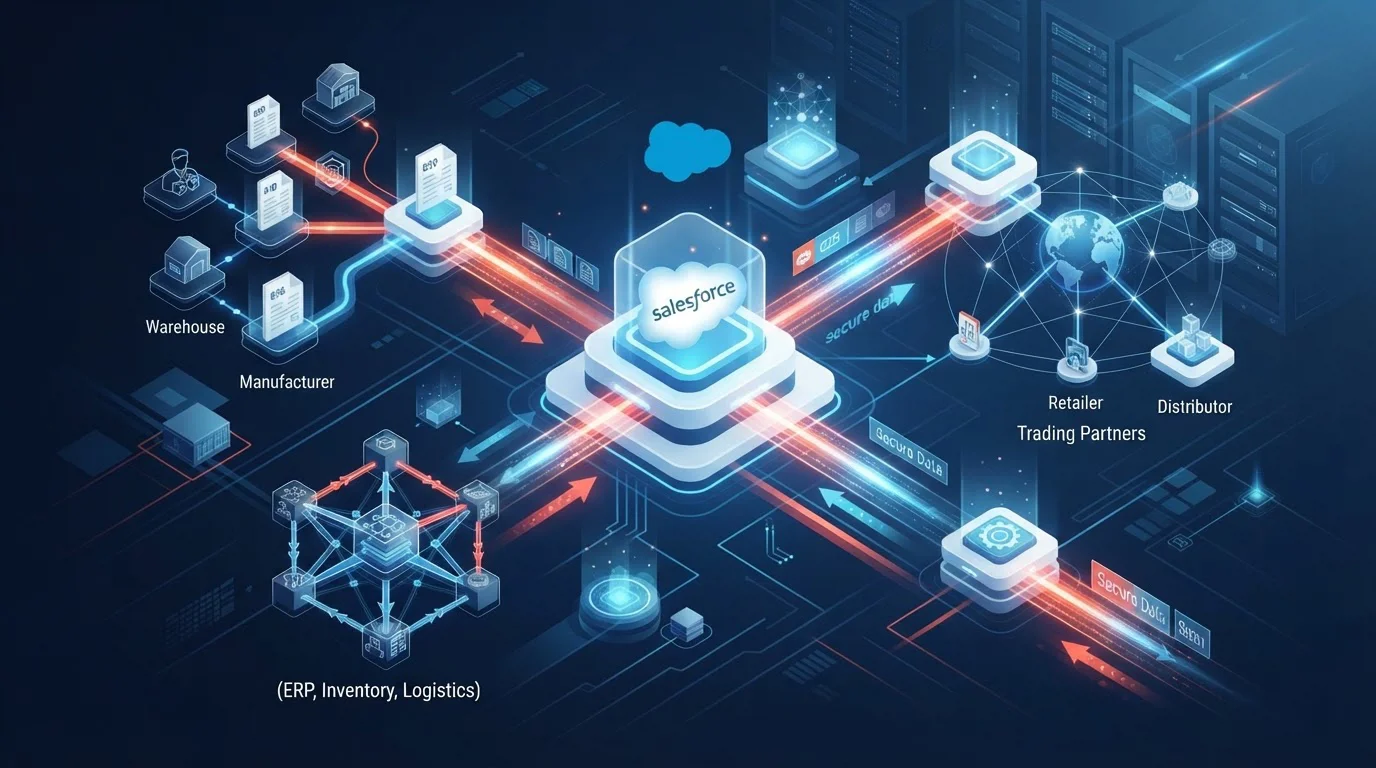
Enterprise commerce moves at blinding speed. When revenue teams execute agreements and manage pipeline inside Salesforce, yet their fulfillment pipelines and partner transactions live in isolated supply chain systems, operational friction is inevitable. Frontline account managers spend valuable hours tracking down lost purchase orders, resolving delivery discrepancies, and asking logistics teams for status updates. Bridging this operational divide requires a unified architecture.
By implementing a direct Salesforce EDI workflow, enterprises transform customer relationship management from a passive system of record into an active, real-time command center. This technical guide outlines how bridging your standard B2B interchange protocols with CRM workflows unlocks massive CRM efficiency, accelerates quote-to-cash velocity, and drives measurable performance optimization across your entire supply chain ecosystem.
Integrating EDI directly with your CRM eliminates downstream reconciliation gaps. Inbound electronic orders instantly populate native Salesforce Opportunity and Order objects, granting sales and support engineers real-time shipment transparency without manual data re-entry.
The Disconnect: Why CRM and EDI Must Converge
Traditionally, organizations maintained a rigid architectural separation: customer-facing operations lived in Salesforce, while trading partner communications were confined to ERP servers and standalone translation toolkits. This legacy model produces severe bottlenecks:
- Information Asymmetry: Account executives cannot see whether a key retailer submitted their scheduled order or if fulfillment hit a compliance snag.
- Order Entry Latency: Manual data transfers between email PDFs, spreadsheets, and EDI systems introduce turnaround delays ranging from 24 to 72 hours.
- Costly Compliance Chargebacks: Incorrect item codes, delayed confirmations, and mismatched line items trigger punitive retailer chargebacks.
Implementing native B2B EDI integration turns Salesforce into an orchestration engine. By bridging standard transactions into Salesforce objects, your team achieves end-to-end visibility across the commercial lifecycle.
Modern Architecture: How Salesforce EDI Works
Connecting Salesforce to external trade networks requires a resilient data translation layer capable of transforming raw X12 or EDIFACT standard files into clean JSON or REST payloads, and vice versa. Rather than burdening the CRM database with raw syntax parsing, a cloud integration engine mediates communication between trade partners and Salesforce APIs.
Essential EDI Document Sets for Salesforce Workflows
Configuring a robust integration setup involves mapping standard supply chain documents to the corresponding Salesforce records. Let us explore the primary transaction sets that drive high-performance CRM operations.
1. EDI 850 (Purchase Order) to Salesforce Order Creation
When a customer or distributor issues a purchase order, an inbound EDI 850 Purchase Order is received. The translation engine validates the pricing, customer accounts, and catalog stock keeping units (SKUs). Once verified, the connector leverages the Salesforce REST API to automatically generate an Order record linked directly to the parent Account, complete with nested OrderItem line items.
2. EDI 855 (Purchase Order Acknowledgment)
After your inventory management system checks stock availability and accepts line items, an outbound EDI 855 confirms order acceptance, backorders, or price adjustments back to the trading partner. Salesforce captures the transmission status so support representatives can see confirmation delivery times at a glance.
3. EDI 856 (Advance Ship Notice) for Shipment Visibility
Fulfillment operations generate an EDI 856 Advance Ship Notice containing packaging hierarchy details (Pallet/Carton SSCC barcodes) and carrier tracking numbers. Feeding this information back into Salesforce allows account teams to instantly view carrier details, estimated delivery dates, and package contents whenever a customer requests an update.
4. EDI 810 (Electronic Invoice) Reconciliation
To conclude the transaction cycle, generating an EDI 810 Invoice matches billing data against original purchase orders and fulfillment records. Synchronizing invoice numbers and payment status directly into Salesforce enhances cash-flow forecasting and collections management.
Enterprise ERP and CRM Integration Synergies
Maximizing the efficiency of your enterprise stack requires harmonizing Salesforce CRM with core backend enterprise resource planning systems. When customer order data flows across your sales and financial systems simultaneously, operational teams work from a singular source of truth. Cogential IT provides enterprise integrations connecting Salesforce alongside industry-leading platforms such as Salesforce B2B Integration, Oracle NetSuite ERP, Microsoft Dynamics 365, and QuickBooks Enterprise. This multi-endpoint orchestration ensures inventory availability updates in real time, billing schedules trigger without lag, and your sales team maintains 360-degree visibility over operational execution.
Manual Handling vs Integrated Salesforce EDI: The Impact
The operational divide between manual order handling and automated integration translates directly to bottom-line performance. The table below illustrates the measurable impact on key supply chain indicators.
| Performance Metric | Manual Re-Keying Process | Integrated Salesforce EDI | Operational Impact |
|---|---|---|---|
| Order Processing Time | 12 to 48 hours | < 2 minutes | Up to 98% reduction in cycle latency |
| Data Accuracy Rate | 92% - 95% (human error risks) | 99.9% automated validation | Virtually eliminates fulfillment chargebacks |
| Account Representative Visibility | Siloed; requires warehouse inquiry | Real-time status inside CRM | First-contact customer resolution |
| Transaction Scalability | Requires proportional headcount | Infinite horizontal scale | Supports peak order surges without hiring |
Selecting the Right Integration Approach
Engineering an efficient connection between Salesforce and your supply chain network depends on your transaction volumes, internal technical resources, and budget. Here is a direct comparison of the three primary architectural strategies:
| Integration Model | Deployment Effort | Maintenance Overhead | Best Suited For |
|---|---|---|---|
| Custom Point-to-Point APIs | Very High (6+ months) | High internal developer reliance | Highly proprietary legacy databases |
| Standard Cloud iPaaS | Moderate (2 to 3 months) | Medium; requires in-house middleware staff | Companies with established internal EDI teams |
| Fully Managed Cloud EDI Service | Low (2 to 4 weeks) | Zero (24/7 proactive monitoring) | Enterprises prioritizing rapid ROI and zero IT burden |
Technical Best Practices for Salesforce EDI Optimization
To ensure high throughput and data integrity, consider the following structural guidelines during implementation:
- Implement Asynchronous Processing: Leverage the Salesforce Bulk API 2.0 or Queueable Apex for high-volume order ingestion to avoid hitting synchronous governor limits during seasonal peaks.
- Standardize Custom Error Staging: Route invalid transaction payloads into a staging object (e.g.,
EDI_Error_Log__c) rather than failing silently, allowing administrators to review validation errors via tailored Salesforce dashboards. - Automate Functional Acknowledgments: Ensure that incoming transactions automatically trigger an EDI 997 Functional Acknowledgment to confirm message delivery to the sender within required trading windows.
- Maintain Strict Master Data Governance: Align SKU catalogs, pricing tier rules, and customer shipping location GLNs across both Salesforce and partner specification guidelines prior to going live.
"A modern CRM should never be a static roll of contacts. When connected directly to EDI transactions, Salesforce turns into an intelligent operational command center that drives customer retention and real-time revenue protection."
To learn more about our comprehensive integration architecture, visit our about us page or explore our complete suite of EDI solutions designed for high-growth enterprises.
Frequently Asked Questions
Ready to Accelerate Your Salesforce B2B Performance?
Eliminate manual order entry, prevent retail compliance penalties, and empower your customer success team with real-time EDI visibility directly inside Salesforce.
Schedule a Strategy ConsultationDiscussion & Questions (0)
Get the Industry EDI Compliance Checklist
Use this checklist to prepare your Industry EDI workflow before onboarding.
Leave a Comment