
SAP Business One EDI: Automate Sales Orders
 Cogential IT Editorial Team
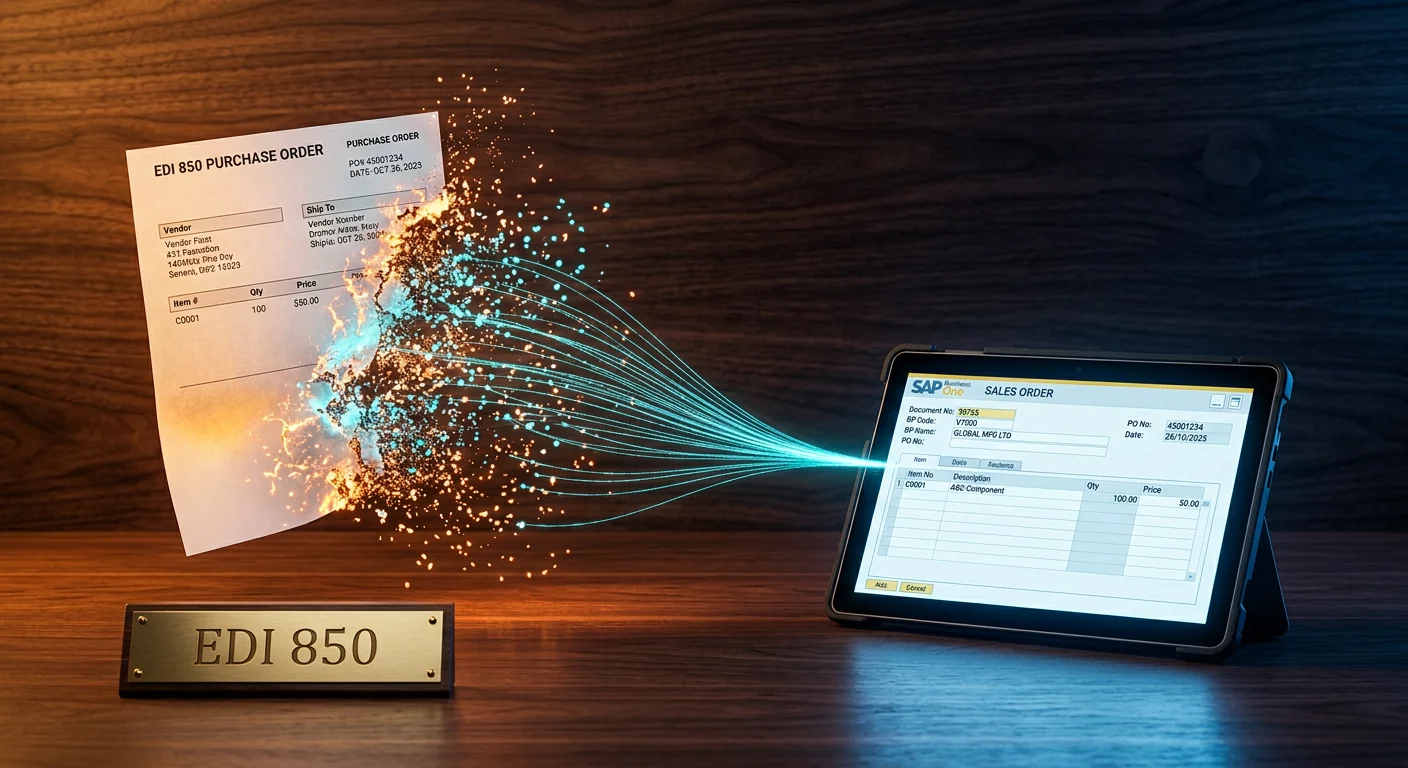
How do you stop typing your customer's POs into SAP Business One?
How do you stop typing your retail customer's purchase orders into SAP Business One one line at a time? That's the exact question most small and mid-sized suppliers ask after their first big-box win. An EDI 850, the electronic purchase order your buyer sends, can land directly in SAP B1 as a draft sales order if the pipeline is built right. No rekeying. No CSV detours. No 2 a.m. panic because a PO showed up after hours.
At Cogential IT, we hear this story almost weekly. A supplier lands a national retailer, celebrates for about a day, then realizes the customer sends purchase orders as EDI files three times a day and someone has to retype them into SAP B1. The good news: B2B EDI integration for SAP Business One is mature, and the 850 sales-order flow is the perfect place to start.
What SAP Business One EDI really means
EDI, Electronic Data Interchange, is the agreed-upon grammar big retailers and their suppliers use to talk business documents machine to machine. In plain English, it means your buyer's computer sends a purchase order your computer can read without a human translator.
For SAP Business One users, the most important first document is usually the EDI 850 purchase order. When it's automated, the 850 bypasses the inbox and lands as a draft Sales Order inside SAP B1.
Think of it like the shared menu at a fast-food drive-thru. You don't hand the speaker a handwritten note. You order by number. The kitchen knows exactly what number three, no pickles, means. EDI is that menu for business documents. Every partner uses the same item numbers, quantities, and ship-to codes, so SAP B1 doesn't have to guess what the customer actually wants.
SAP Business One EDI isn't a module you check a box to turn on. It's a connection layer: trading partner on one side, SAP B1 on the other, and a translation and mapping engine in the middle. That middle layer can live in the cloud, on your network, or inside a managed service. Which shape you pick depends on your volume, IT bandwidth, and how many trading partners you need to support.
Where the 850 sales order fits in the bigger picture
The 850 is the front door of your order-to-cash cycle, but it doesn't travel alone. In a typical retail EDI setup, four documents move in and out of SAP B1.
The 850 starts the job. The 855 confirms you accepted it. The 856 tells the buyer what shipped. The 810 asks for payment. If you only automate the 850 and leave the rest on spreadsheets, you still have handoffs that slow down cash and create chargeback risk.
This is why ERP integration matters beyond simple file transfer. The goal is not just to get the PO inside SAP B1; the goal is to keep the order-to-cash data moving without manual bridges between documents. The same discipline applies if you later move to Sage, Microsoft Dynamics 365 Business Central, or NetSuite.
How an EDI 850 becomes a SAP B1 sales order
The flow sounds technical, but it breaks down into five clean steps. If you can trace each one with your integration partner, you'll avoid the classic it works in testing but fails in production problem.
Here's the part most SAP B1 teams care about: the mapping layer. The EDI file uses X12 segments like PO1, N1, and DTM. SAP B1 speaks database tables like RDR1 and OCRD. Something has to sit between them and say, this PO1 segment is your sales order line, this N1 segment is your ship-to address, and this DTM segment is your requested delivery date.
The best integrations don't just copy data across. They apply rules: block duplicate POs, flag unknown SKUs, route orders by ship-to warehouse, and split multi-SKU orders if your fulfillment model needs it. That's where cloud EDI solutions show their value. The mapping and validation rules live outside SAP B1, so upgrades to either side don't break the pipeline.
The three mapping layers every SAP B1 EDI project needs
Mapping is where projects live or die. Every 850 has three logical layers, and each one needs its own rules.
| Mapping layer | What it carries | SAP B1 target | Common trap |
|---|---|---|---|
| Header | PO number, dates, ship-to, terms | Sales Order header / OCRD | Ship-to code missing in master |
| Line | Item, qty, price, UOM | Sales Order lines / RDR1 | Each vs case UOM mismatch |
| Validation | Duplicates, routing, SKU checks | Custom business rules | Silent failures, no alerts |
Header mapping is usually straightforward until you hit ship-to codes that don't exist in SAP B1 yet. Line mapping is where unit-of-measure conversions and pack-quantity math trip people up. Validation is your insurance policy. It catches the errors that would otherwise become a chargeback or an angry phone call from the retailer's compliance team.
Key terms: what each part of the SAP B1 EDI stack does
The electronic purchase order. In SAP B1 terms, it's the seed for a Sales Order.
The doorway your integration uses to create documents in SAP Business One.
Converts X12 or EDIFACT into XML/JSON that SAP B1 can consume.
The yes, we got your file message. Not the same as a 855 order acknowledgment.
Build it, buy an add-on, or hand it to a managed EDI provider
Once you understand the flow, the next question is who builds it. SAP B1 customers usually have three paths.
| Option | Setup effort | Best for | Hidden cost |
|---|---|---|---|
| Managed EDI service | Low | Multiple trading partners, small IT team | Monthly service fee |
| SAP B1 EDI add-on | Medium | 1-3 partners, standard SAP B1 | Partner onboarding still on you |
| Custom build | High | Unique ERP customizations | Ongoing spec changes |
- You have more than three retail trading partners
- Your IT team is already stretched
- Chargeback avoidance is a priority
- You have a dedicated SAP B1 developer
- Your trading partner has an extremely simple, stable spec
- The ERP has heavy customizations no add-on can reach
We've seen all three work. We've also seen all three fail when the supplier underestimates trading-partner management. The hidden cost isn't the first map; it's maintaining maps when a big retailer updates its spec twice a year. That's why managed EDI services are popular with SAP B1 shops that have small IT teams but fast-growing retail books. For a broader look at retail requirements, see our retailer EDI solutions. If your trading partner allows a browser-based exchange, Web EDI can be a quick pilot before full automation.
Common mistakes that turn SAP B1 EDI projects into late-night debugging
The fastest way to waste money on SAP Business One EDI is to treat it like a one-time IT project instead of an ongoing business process. We see the same mistakes repeatedly, and most of them are avoidable with a little upfront discipline.
Suppliers often skip the trading partner implementation guide and start mapping from a sample file. Sample files lie. They miss optional segments, outdated codes, and edge cases that show up in production. Always build from the official guide, then test with a few real production files before go-live.
Another common error is ignoring unit of measure. Your buyer may order by case, your warehouse may pick by each, and SAP B1 may store inventory by pallet. If the map doesn't convert those correctly, every line posts with the wrong quantity and the wrong price extension.
Some teams automate only the 850 and forget the downstream documents. That creates a half-broken order-to-cash loop. The sales order posts automatically, but the shipping notice and invoice still go out by email or spreadsheet. The buyer's system expects EDI for all three, and manual steps become the new bottleneck.
Finally, don't let errors post silently. If a 850 fails validation, someone needs to know within minutes, not days. A good integration sends alerts with the PO number, the failure reason, and enough context that the operations team can fix it without calling a developer.
When SAP B1 EDI makes sense now, and when to wait
- A retail customer is already sending EDI 850s
- You process 50 or more manual orders a week
- Order errors are causing shipping delays or chargebacks
- You only receive a handful of POs per month
- Your trading partner accepts PDF or email orders
- SAP B1 master data is still being cleaned up
Conclusion
Automating the EDI 850 into SAP Business One is not about chasing technology. It's about removing the single most expensive step in your order intake: retyping a customer's order into your own system. Once that step is gone, your team can focus on exceptions instead of data entry, and your trading partner gets faster, cleaner fulfillment.
If you're mapping your first retail EDI connection for SAP B1, start with the 850 sales order, add the 855 acknowledgment, then grow into ASN and invoice automation as volume justifies it. That's the sequence that delivers ROI fastest without overwhelming a small IT team.
Talk to our SAP B1 EDI team about your 850 flow
— Cogential IT Editorial Team, Integration Consultant, Cogential IT
Frequently Asked Questions
Discussion & Questions (0)
Get the Industry EDI Compliance Checklist
Use this checklist to prepare your Industry EDI workflow before onboarding.
Leave a Comment