
Kroger EDI Compliance and Integration Technical Guide
 Cogential IT Editorial Team
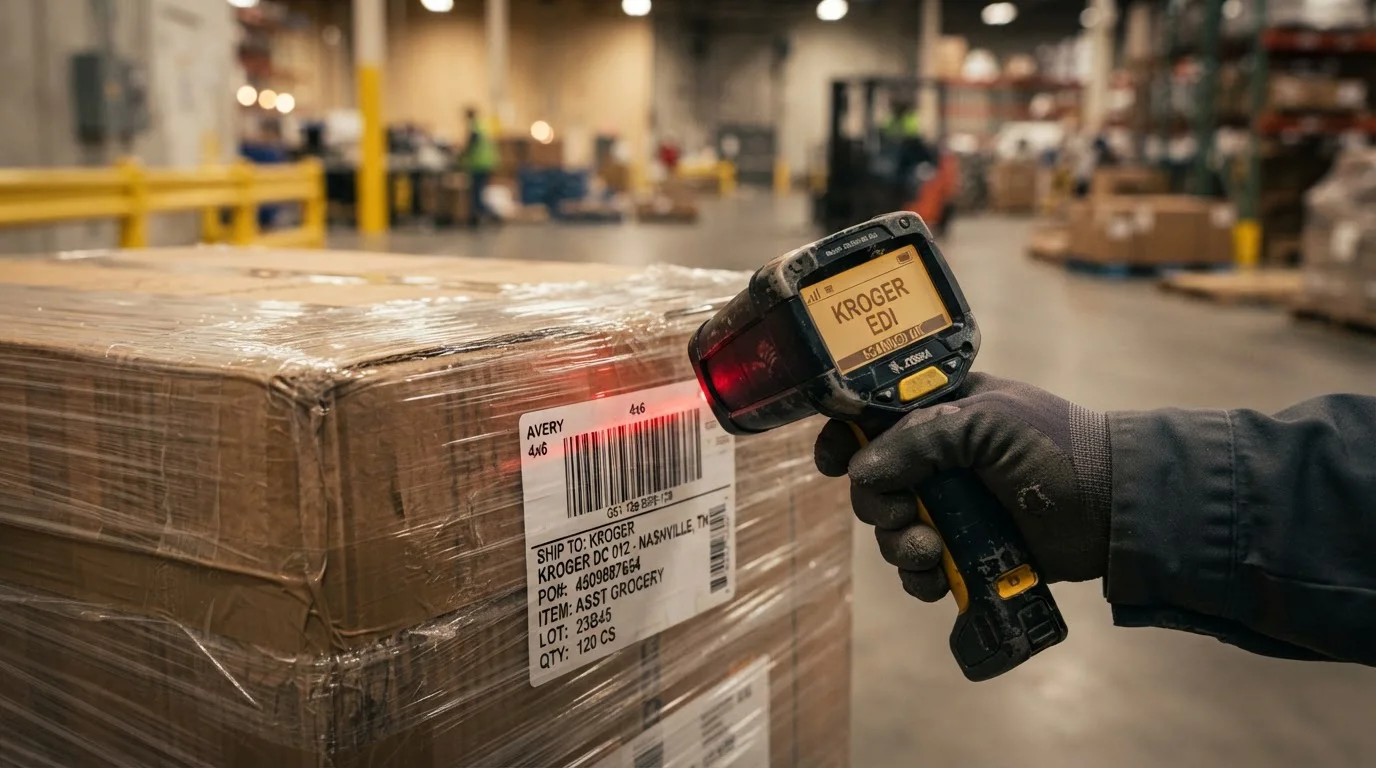
It is 7:15 AM on a Tuesday when your finance team notices a $4,200 deduction on a recent remittance advice. The shipment arrived at the distribution center on schedule, but the advance notification failed parsing rules because carton serialization did not align with physical pallet tags. In the high-velocity retail grocery sector, minor data discrepancies trigger immediate expense offsets.
Establishing reliable Kroger EDI workflows requires a balance of stringent compliance, precise schema mapping, and automated infrastructure. This technical guide outlines the structural framework, transaction choreography, and architecture decisions needed to protect your vendor scorecards.
The Decision: In-House Translator vs. Fully Managed Cloud EDI
Suppliers evaluating retail connectivity face a fundamental operational choice. Do you build and maintain translation maps internally, or do you run through automated cloud EDI solutions? Kroger updates its routing guides and distribution network configurations regularly, making ongoing schema maintenance a primary cost factor.
When you handle communications in-house, your engineering staff manages direct AS2 certificates, firewall whitelists, translation tables, and transaction acknowledgments. When you utilize EDI managed services, the integration provider absorbs mapping updates, transaction monitoring, and network compliance overhead.
Consider the total volume of daily messages. A brand shipping 50 pallets a month to regional hubs has vastly different infrastructure demands than an enterprise moving 2,000 cases daily across national grocery divisions.
| Integration Strategy | Setup Velocity | Maintenance Burden | ERP Automation Level |
|---|---|---|---|
| Manual Web Portal | 1 to 2 Weeks | High Manual Labor | Zero (Re-keying required) |
| Custom Direct AS2 | 8 to 12 Weeks | Internal IT Responsibility | High (Requires dev build) |
| Managed Cloud EDI | 3 to 4 Weeks | Fully Managed / Outsourced | End-to-End Hands-Off |
Kroger Supply Chain Models and Order Routing
Kroger operates multiple distribution channels, each demanding specific electronic document behaviors. Suppliers must align their warehouse workflows with the distribution channel specified on the incoming purchase order.
Understanding these distinct delivery streams ensures your outbound transaction structure matches the receiving dock protocol. A Peyton warehouse routing request requires different advance notice timing than a Direct Store Delivery drop.
The Technical Core: Mandatory Transaction Sets
Trading with Kroger involves a synchronized sequence of ANSI X12 document sets. Each transaction fulfills a specific operational contract between your accounting system, warehouse management platform, and Kroger procurement servers.
The operational cycle begins with the inbound EDI 850 Purchase Order. This transaction carries store allocation numbers, item GTINs, unit pricing, payment terms, and delivery appointment windows. Your integration engine parses these values directly into your backend business application, ensuring zero manual order entry errors.
Once orders are picked and packaged, your warehouse system triggers the EDI 856 Advance Ship Notice. This document is widely recognized as the most stringent transaction set in retail compliance. It defines hierarchical relationships spanning shipment levels, order levels, tare (pallet) records, and pack (carton) details, down to specific serial container codes.
Following dispatch confirmation, your ERP generates the EDI 810 Invoice. Pricing segments, allowance codes, discount structures, and line quantities must match the 850 order and 856 ASN exactly. Discrepancies between billed amounts and received counts create automated deduction claims.
Finally, Kroger returns an EDI 820 Remittance Advice outlining electronic payment settlements, itemized invoice clearings, or adjustment debit reasons, accompanied by an EDI 997 Functional Acknowledgment validating the syntactic receipt of every payload.
ERP Integration Scenarios for High-Volume Grocery
Connecting your enterprise accounting software directly to your EDI pipeline eliminates human latency and ensures accurate inventory commits. Leading mid-market and enterprise platforms handle these integration touchpoints through standardized schemas.
For organizations operating on NetSuite ERP integration, inbound 850 files generate Sales Order records automatically, while item fulfillments push package-level tracking data to generate 856 payloads. If your operations run on Microsoft Dynamics 365 Business Central, warehouse picking manifests sync across shipping lines to produce matching GS1-128 barcode records.
Similarly, teams utilizing Acumatica ERP integration or entry-level solutions like QuickBooks integration benefit from automated scheduling routines that poll for new purchase orders, lock item inventories, and post final invoice batches without manual intervention.
Implementation Roadmap: From Sandbox to Go-Live
Executing a Kroger onboarding initiative demands structured project phases to satisfy technical milestones and avoid testing delays. Following a disciplined timeline ensures your team passes partner certification on schedule.
Establish direct AS2 endpoints, exchange encryption certificates, configure sender and receiver qualifiers, and verify functional acknowledgment handshakes.
Construct business translation schemas for 850, 855, 856, and 810 transactions. Map custom cross-references for product SKUs, GTIN identifiers, and unit-of-measure conversions.
Transmit end-to-end test data payloads to Kroger testing portals. Submit physical scan samples of GS1-128 case and pallet labels to confirm optical grading and formatting rules.
Switch document routing to live production servers. Monitor live transmissions around the clock to ensure clean 997 acknowledgments and accurate invoice settlement.
Operational Risks: Common Chargeback Triggers
Grocery compliance programs operate under strict delivery and data precision metrics. Minor operational shortcuts compound rapidly into measurable financial losses.
The primary driver of Kroger vendor penalties is ASN timing latency. If your transportation team dispatches an outbound trailer but your system queues the 856 transaction in a delayed batch cycle, the freight may arrive at the yard before the digital manifest parses. Unmatched physical arrivals trigger automatic non-compliance fees.
A second common failure point involves pallet serialization mismatches. If warehouse personnel reprint an SSCC-18 pallet tag with updated sequence numbers but fail to synchronize that change into the active EDI pipeline, the distribution scanner will fail to locate the container ID in the received shipment manifest.
Finally, unit-of-measure misalignments during invoice generation frequently halt billing settlements. Submitting an 810 invoice calculated in single-unit eaches when the purchase order specified master case packs causes automatic pricing variance flags that hold back remittance disbursements.
Building a Scalable Kroger EDI Architecture
Achieving stable retail compliance is not a one-time project checklist. It is an ongoing operational capability that safeguards margin, protects your vendor tier, and enables smooth distribution expansion across additional retail grocery brands.
Partnering with a proven integration specialist provides the structural resilience and technical agility your supply chain requires. Connect with our solution engineers through our integration consultation team to review your transaction infrastructure, automate your grocery workflows, and eliminate compliance chargebacks.
— Cogential IT Editorial Team, Integration Consultant, Cogential IT
Frequently Asked Questions
Discussion & Questions (0)
Get the Industry EDI Compliance Checklist
Use this checklist to prepare your Industry EDI workflow before onboarding.
Leave a Comment