
Electronic Protocol Standards in EDI Explained for B2B
 Cogential IT Editorial Team
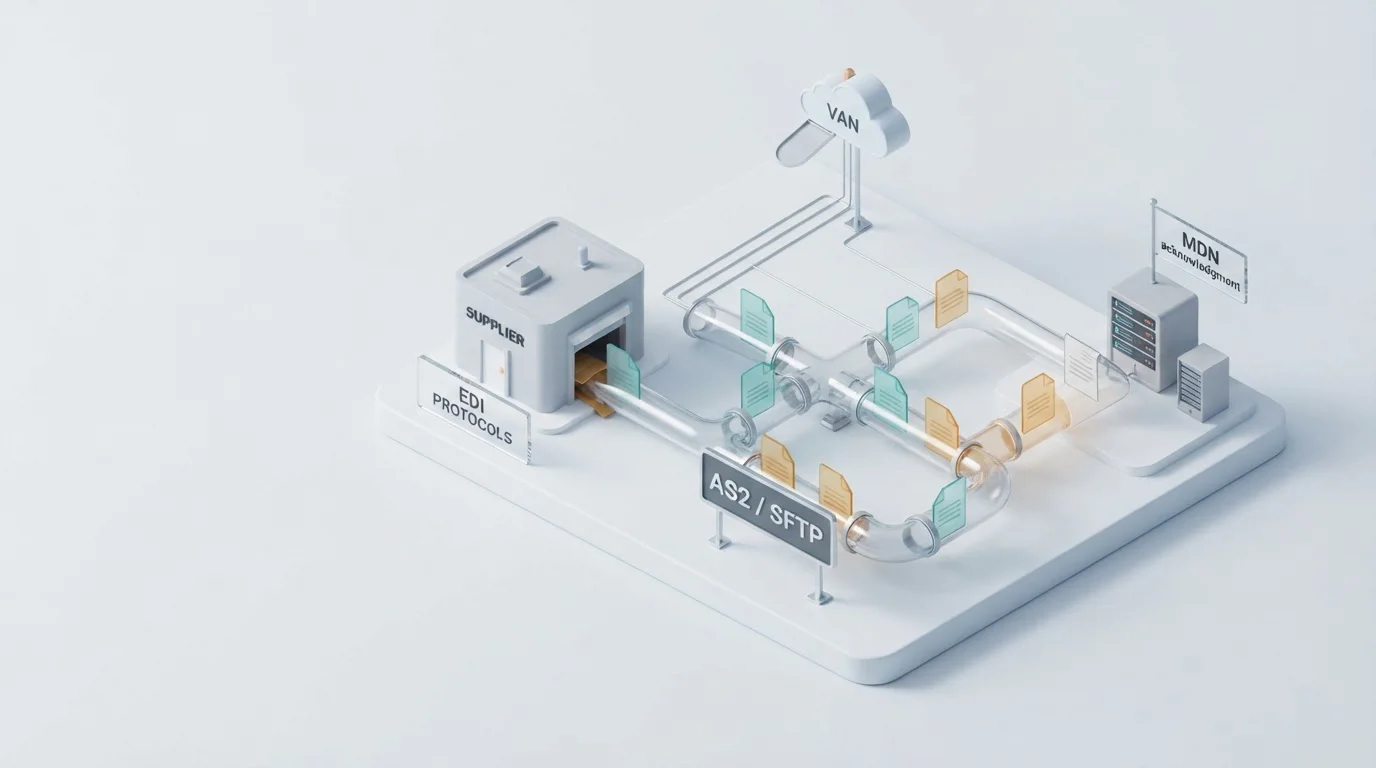
When EDI stops, the protocol is usually the culprit
It is 8:47 on a Monday and your largest retail buyer is already on the phone. Their warehouse has not received an advance ship notice since Friday. Your ERP shows the 856 ASN went out. Your EDI translator logged it as sent. But nothing reached their system. After two hours of calls, you find the culprit: their SFTP server moved to a new port over the weekend, and your file transfer kept dropping into a black hole. The EDI document was fine. The business rule was fine. The electronic protocol underneath it was not.
That distinction is what this post is about. EDI gets talked about as if it is one thing (“EDI”), but it is really a stack of agreements. The document standard, like ANSI X12 or EDIFACT, decides what the message means. The electronic protocol decides how the message gets there. When people say “our EDI is down,” they often mean one of these layers is out of sync.
If you have ever been asked to onboard a new trading partner in two weeks, you already know that arguing about document labels is only half the battle. The other half is agreeing on the communication standards: AS2 or SFTP? A VAN or a direct connection over the internet? Mutual TLS or a simple password? Those choices determine whether your data moves in seconds, sits in a queue overnight, or vanishes because a certificate expired. For most mid-market companies, this is where B2B EDI integration projects actually live or die.
What an electronic protocol actually does
In plain language, an electronic protocol is the set of rules two computers follow to talk to each other across a network. It covers three questions: how do we find each other, how do we package the data so the other side can open it, and how do we prove it arrived safely? In EDI, the protocol does not care whether you are sending a purchase order or an invoice. It cares about handshakes, ports, encryption, receipts, and retries.
Think of it like the postal system. ANSI X12 and EDIFACT are the languages written on the letter. The electronic protocol is everything else: the envelope, the address, the stamp, the tracking number, and the signature required at delivery. You can write a perfect letter in French, but if you put it in an envelope with no address and drop it on the sidewalk, it is not going to Paris. The same thing happens when a perfectly valid 850 PO is sent to the wrong AS2 endpoint with an expired certificate.
The protocol layer also handles the “yes, I got it” message. In AS2 that is an MDN, a Message Disposition Notification. In other setups it might be a simple FTP log or an HTTP response code. Without that receipt, your buyer can claim they never saw the file, and your ERP has no proof to argue otherwise.
Where protocol standards sit in the EDI stack
It helps to picture EDI as a stack of layers, each one sitting on top of the one below. The bottom layer has to work before anything above it matters. A lot of teams spend weeks tuning the business document layer while ignoring the transport layer beneath it, then wonder why a valid file never lands.
At the bottom, the transport protocol is the road. AS2, SFTP, FTPS, HTTPS, and VANs are the common options. On top of that sits encryption and authentication: certificates, keys, passwords, and mutual TLS. The message envelope wraps the raw EDI file so the receiving software knows where one transmission ends and the next begins. Then the EDI standard translates the payload into a format both sides understand. Finally, the business document is the actual purchase order, invoice, or ship notice your users care about.
One useful way to debug an EDI outage is to start at the bottom and work up. If the file never reached the endpoint, the transport layer is the problem. If it reached them but they cannot parse it, the EDI standard or mapping layer is the problem. Skipping straight to the document format is like checking the spelling on a letter that never got picked up by the mail carrier.
How an EDI exchange works, step by step
Each step sounds simple, but the devil is in the defaults. One side expects AES-256 encryption while the other ships AES-128. One side sends MDNs asynchronously, the other expects synchronous. One partner wants files named with their internal order ID, another wants a date stamp. None of these are document-format issues; they are electronic protocol issues. That is why many companies move their transport layer to cloud EDI solutions where the provider manages certificate rotation, endpoint monitoring, and retry logic.
Why protocol mistakes cost more than mapping errors
Mapping errors are loud. A wrong segment throws a validation report, your analyst sees it, and you fix it. Protocol errors are quiet. The file leaves your network, nothing comes back, and both sides assume the other side is asleep. By the time the warehouse calls, you have already missed a delivery window and possibly earned a chargeback.
This is why the handshake layer deserves as much attention as the document layer. A handshake failure can happen for reasons that have nothing to do with your ERP: a firewall rule changed, a DNS entry expired, a partner rotated their TLS certificate and forgot to tell you, or their SFTP server now requires a newer cipher. These are infrastructure events, and they happen outside the EDI team's normal view. Companies that treat EDI as a black box often discover this gap the hard way.
The fix is to monitor the protocol itself, not just the document output. That means tracking connection success rates, MDN return times, certificate expiration dates, and file transfer volumes. If you do not have the in-house bandwidth, that monitoring is a natural fit for EDI managed services, where an outside team watches the plumbing while your staff focuses on the business rules.
The four protocols you will actually choose between
Direct, encrypted file transfer over HTTP/S with a signed MDN receipt. Retail and grocery favorites.
File transfer over SSH or FTP-with-TLS. Simple folder drop model; good for manufacturing partners.
A value-added network that acts as a mailbox. Send once, and the VAN routes to many partners.
Real-time REST or SOAP endpoints. Useful when the transaction needs instant status feedback.
Most retail and grocery mandates push you toward AS2 because they want signed receipts. Manufacturers with many smaller partners often prefer SFTP for its simplicity. A VAN still makes sense when you have dozens of trading partners and do not want to manage a separate endpoint for each one. APIs are best when the transaction needs real-time feedback, such as inventory checks or order status lookups, rather than batch file drops.
- A partner mandates AS2 and requires MDN receipts
- You want full control over endpoints and certificates
- Volume is predictable and high enough to justify dedicated pipes
- You have dozens of trading partners with different skills
- You would rather not manage certificate rotation yourself
- You need a single point to monitor all inbound and outbound traffic
Building your protocol strategy
Getting from “we need EDI” to “we have live transactions” is usually a nine-week process if nothing goes sideways. Here is what that looks like.
Document every partner's protocol, port, certificate, and naming rule before writing code.
Build AS2/SFTP endpoints, install certificates, and configure firewalls.
Send dummy files, confirm MDNs or transfer logs, and fix handshake mismatches.
Run real documents with one forgiving trading partner before adding the rest.
Watch connection health, certificate expiration, and throughput. Tighten alerts.
The timeline changes if you are also integrating with an ERP at the same time. A protocol project that runs parallel to an ERP integration can save weeks because the handoff points are designed together instead of patched later. We have seen the cleanest rollouts happen when the ERP team, the network team, and the EDI team agree on the protocol stack before the first map is built. Whether your ERP is QuickBooks, Infor CloudSuite Automotive, or Plex Automotive ERP, the same rule holds: agree on the pipe first, then argue about the payload.
When to call for help
You can manage protocols in-house if you have a network engineer who understands EDIINT and a team that can react to certificate renewals at odd hours. But most mid-market companies hit a point where the protocol layer is no longer a fun engineering puzzle; it is a tax on the EDI team. That is the point to consider Web EDI for lower-volume partners or a custom EDI solution when off-the-shelf transport options do not fit a partner's spec.
Frequently Asked Questions
Wrapping up
Electronic protocol standards are the quiet foundation of every EDI transaction. Get them right and your documents move like mail through a well-run post office. Get them wrong and even the most perfect 850 or 810 never reaches its destination. The good news is that protocol problems are fixable once you know where to look: start at the transport layer, test with real partner endpoints, and monitor the handshake as closely as you monitor the mapping.
If you are tired of chasing down certificate renewals, port changes, and missing MDNs, our team can help you build a protocol layer that just works. Talk to an integration consultant and we will get your EDI plumbing sorted.
— Cogential IT Editorial Team, Integration Consultants, Cogential IT
Discussion & Questions (0)
Get the Industry EDI Compliance Checklist
Use this checklist to prepare your Industry EDI workflow before onboarding.
Leave a Comment