
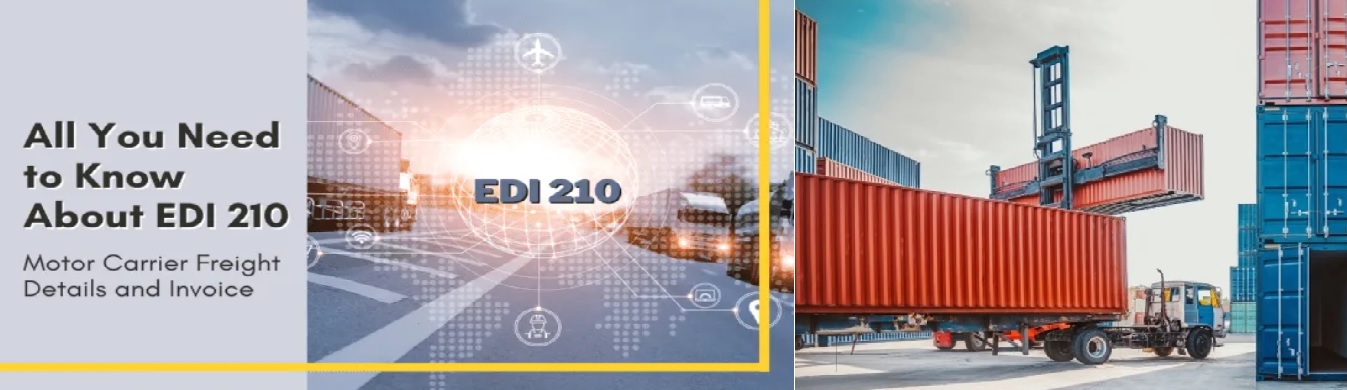
The EDI 210, also known as the Motor Carrier Freight Details and Invoice, is an electronic document used by motor carriers to invoice shippers or third-party logistics providers (3PLs) for freight services. It replaces traditional paper invoices, providing a standardized and automated method for billing. :contentReference[oaicite:0]{index=0}
Blog
EDI 210: Motor Carrier Invoice Processing
 Cogential IT
Introduction
In the fast-moving world of logistics, accurate billing and invoicing are critical for ensuring that transportation services run smoothly and payments are processed efficiently. Manual invoicing can be prone to errors, delays, and miscommunication, leading to operational inefficiencies. The EDI 210 transaction set, also known as the Motor Carrier Freight Details and Invoice, addresses these issues by streamlining the process of invoicing for freight services.
This blog will explore the EDI 210 transaction set in detail, its structure, benefits, and the role it plays in the modern logistics and transportation industry.
What is EDI 210?
The EDI 210 is an electronic document used by motor carriers to invoice shippers or third-party logistics providers (3PLs) for freight services. It replaces the traditional paper freight invoice, providing a standardized, automated way to communicate billing details such as:
- Freight charges
- Itemized accessorial fees (e.g., fuel surcharges, special handling charges)
- Shipment weight and dimensions
- Pickup and delivery details
By using the EDI 210, carriers can send invoices directly to shippers or 3PLs for payment, eliminating the need for manual processing and reducing the likelihood of billing errors.
Key Components of EDI 210
1. Invoice Header
The header contains the basic details about the invoice, including:
- Invoice number: A unique identifier for the invoice.
- Date: The date when the invoice was issued.
- Carrier details: Information about the motor carrier issuing the invoice.
2. Shipment Details
This section provides details about the specific shipment, including:
- Bill of Lading (BOL) number: A reference number used to track the shipment.
- Pickup and delivery locations: The origin and destination addresses.
- Shipping dates: The date the shipment was picked up and delivered.
3. Freight Charges
One of the most critical parts of the EDI 210 is the freight charge details, which include:
- Total transportation charges: The total cost of moving the freight from origin to destination.
- Accessorial charges: Itemized charges for additional services, such as fuel surcharges, detention fees, or special handling.
4. Weight and Dimensions
- Shipment weight: The total weight of the freight.
- Dimensions: The length, width, and height of the shipment (if applicable).
5. Payment Terms
This includes information regarding payment terms such as:
- Due date: The date by which the payment should be made.
- Discounts: If any early payment discounts are offered by the carrier.
How EDI 210 Works
The EDI 210 transaction set follows a straightforward process:
- Shipment Completion: Once the carrier delivers the shipment, they generate an EDI 210 invoice.
- EDI Transmission: The carrier sends the EDI 210 document via an EDI network (AS2, FTP, VAN) to the shipper.
- Invoice Receipt: The shipper receives the EDI 210 and processes it for payment.
- Payment Processing: Once approved, payment is issued according to agreed terms.
- Status Updates: The carrier may receive an EDI 820 (Payment Order/Remittance Advice) to confirm payment details.
Benefits of EDI 210 in Transportation
- Streamlined Invoicing: Reduces manual effort in generating, sending, and processing invoices.
- Improved Accuracy: Minimizes errors with standardized invoice formatting.
- Faster Payments: Enables quicker invoice approvals and payments.
- Cost Savings: Reduces expenses related to paper invoicing and labor costs.
- Enhanced Transparency: Provides detailed billing visibility to prevent disputes.
EDI 210 vs. Traditional Paper Invoicing
Unlike manual paper-based invoicing, which is prone to errors and delays, EDI 210 automates the process, reducing disputes and speeding up payments.
Companion EDI Documents
EDI 210 is often used alongside other EDI transactions:
- EDI 214: Shipment status updates.
- EDI 820: Payment remittance advice.
- EDI 204: Motor Carrier Load Tender.
- EDI 824: Application Advice for feedback or corrections.
Best Practices for Implementing EDI 210
- System Integration: Ensure EDI works seamlessly with your TMS and accounting software.
- Accurate Data Entry: Validate shipment details before sending EDI 210.
- Regular Auditing: Periodically review your EDI process to prevent discrepancies.
Conclusion
EDI 210 is a vital tool for streamlining freight invoicing, reducing manual work, and ensuring faster payments. Whether you're a motor carrier looking to enhance billing efficiency or a shipper seeking better invoice processing, adopting EDI 210 can improve your logistics operations and financial workflows.
Frequently Asked Questions
What is an EDI 210 transaction set?
What key information is included in an EDI 210 document?
How does the EDI 210 transaction process work?
What are the benefits of using EDI 210 in transportation?
How does EDI 210 improve invoicing accuracy?
Discussion & Questions (0)
Free checklist
Get the Industry EDI Compliance Checklist
Use this checklist to prepare your Industry EDI workflow before onboarding.
Document readiness checks
ERP and system integration planning
Testing and go-live support checklist
Exception and acknowledgment monitoring
Leave a Comment